
A space in your last name is a legally recognized part of your name and must appear exactly as written on your birth certificate or citizenship documents when you apply for a U.S. passport. Getting this right is not optional. The U.S. Department of State cross-references every application against government records, and spacing errors trigger processing delays or outright rejection. The Machine Readable Zone (MRZ) on your passport further standardizes name formatting for electronic travel systems, but the human-readable name on your passport must still reflect your legal name with correct spacing. If you have a surname like "De La Cruz," "Van Der Berg," or "St. James," this guide covers exactly what you need to know before you submit your application or book a flight.
How to correctly enter a space in last name on passport forms
Names on passport applications must match your birth certificate exactly, including any spaces in multi-part last names. This rule applies to both the DS-11 (new passport application) and the DS-82 (renewal form). If your birth certificate shows "De La Cruz," your passport application must show "De La Cruz," not "DeLaCruz" or "Delacruz."

The Department of State is specific about spacing. You use natural spacing as it appears on your legal documents. You do not add extra spaces, and you do not collapse multiple name parts into one word. The application form has defined fields for given name and surname, and each part of a compound surname goes into the surname field, separated by single spaces.
Here is what to watch for when filling out your form:
- Match your source document exactly. Your birth certificate or naturalization certificate is the authority. Copy the spacing character for character.
- Do not add spaces that are not in your legal name. If your name is "McDonald," it stays "McDonald," not "Mc Donald."
- Do not remove spaces that are in your legal name. "Van Der Berg" stays "Van Der Berg" across all fields.
- Use only the surname field for all surname parts. Do not split a multi-part surname across the given name and surname fields.
- Write clearly and legibly. Passport forms are reviewed by human examiners before data entry.
Passport forms do not allow corrections like white-out or crossed-out text. A spacing error means you discard the form and start over with a fresh one. That is not a minor inconvenience. It delays your application and, if you are close to a travel date, it can cost you a trip.
Pro Tip: Before you fill out your DS-11 or DS-82, place your birth certificate directly next to the form and copy your surname letter by letter, space by space. Do not rely on memory or how your name appears on a driver's license, which may have been entered incorrectly years ago.
The Department of State also differentiates between material and immaterial name changes. A spacing inconsistency is usually treated as immaterial if your legal name clearly matches your primary documents. That said, you should never count on that flexibility. Submit the form correctly the first time.
How do spaces in last names affect airline bookings?
Name mismatches between your passport and airline tickets, including spacing issues, can lead to boarding denials and rebooking costs that reach up to $500. That figure is not hypothetical. A 2026 analysis found that boarding refusals due to name-mismatch errors outpaced refusals related to fees or country entry requirements. Spacing in surnames is one of the most common triggers.
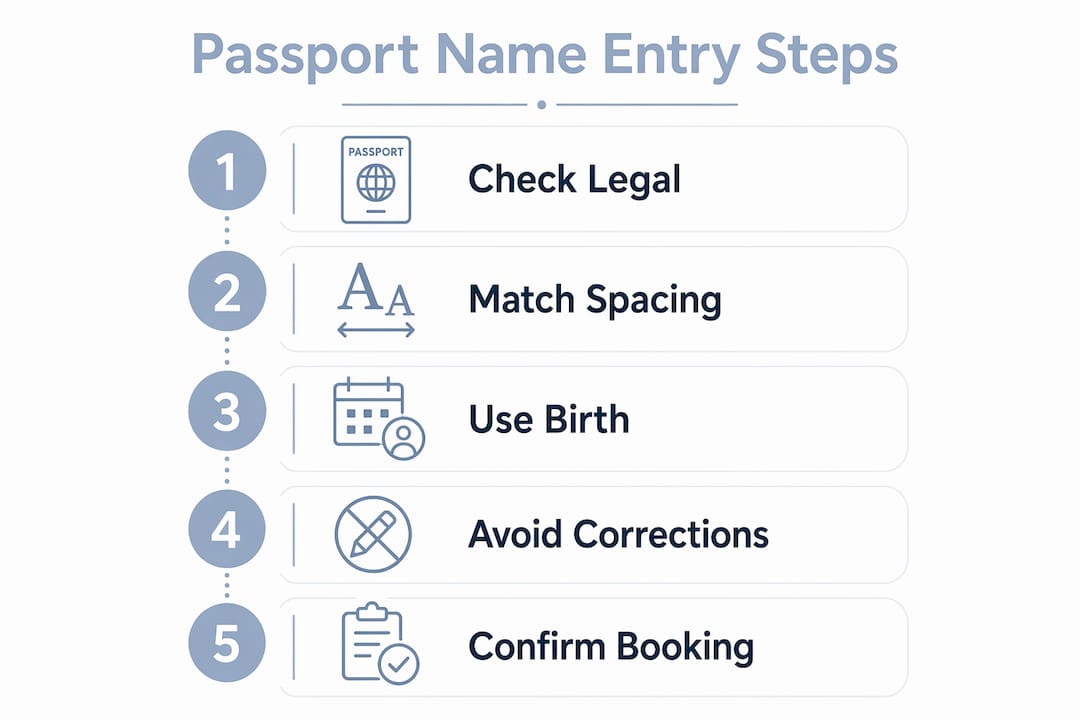
The core problem is that many airline booking systems do not support spaces or special characters in name fields. When you type "De La Cruz," the system may store it as "Delacruz" or "DE LA CRUZ" without the spaces. Airline systems often remove spaces and special characters automatically, and what matters most to border control is that the letter sequence matches your passport's MRZ, not whether a space appears in the right place.
Follow these steps when booking travel with a spaced surname:
- Enter your name exactly as it appears on your passport. Do not abbreviate, reorder, or combine name parts.
- If the booking field rejects spaces, remove them and note the discrepancy. Keep a record of what the system accepted versus what your passport shows.
- Contact the airline before travel if you notice a mismatch. Most carriers allow minor name corrections without a fee if caught early.
- For multiple last names common in Spanish or Portuguese naming traditions, all names go in the surname field separated by spaces, exactly as they appear on your passport.
- When a booking form lacks a middle name field, combine your first and middle names in the given name field to align with your passport's MRZ format.
Pro Tip: Screenshot your booking confirmation immediately after purchase and compare it side by side with your passport. Catching a spacing mismatch the day you book is far cheaper than catching it at the gate.
Travel agents confirm that airline staff prioritize correct letter order over exact spacing when verifying identity. A missing space in "VanDerBerg" versus "Van Der Berg" is unlikely to ground you if every letter is present and in sequence. A wrong family name, however, is a hard stop.
What is the Machine Readable Zone and why does it matter?
The Machine Readable Zone is the two-line strip of characters at the bottom of your passport's photo page. It encodes your name, nationality, date of birth, and passport number in a format that automated border control systems read instantly. The MRZ encodes names by removing spaces, accents, and special characters and replacing them with filler symbols, specifically the "<" character, per ICAO Document 9303 standards.
Most international travel identity verification relies on the MRZ rather than the visual format of the printed name. This is why a space that appears in the human-readable section of your passport does not appear in the MRZ. The name "De La Cruz" becomes "DELACRUZ" in the MRZ, with the "<" filler character separating surname from given name.
Here is how MRZ formatting works in practice:
- Spaces are removed. "Van Der Berg" becomes "VANDERBERG" in the MRZ.
- Accents and diacritics are stripped. "Müller" becomes "MULLER."
- Apostrophes are dropped. "O'Brien" becomes "OBRIEN."
- All letters are capitalized. No lowercase characters appear in the MRZ.
- The "<" character fills unused spaces and separates the surname from the given name fields.
| Name format | Human-readable on passport | MRZ encoding |
|---|---|---|
| Spaced surname | De La Cruz | DELACRUZ |
| Apostrophe surname | O'Brien | OBRIEN |
| Accented surname | Müller | MULLER |
| Compound surname | Van Der Berg | VANDERBERG |
The practical implication is clear. When you enter your name on an ESTA application, a visa form, or an airline booking, the letter sequence should match what the MRZ encodes. Spaces are secondary. The MRZ is the identity baseline that border controls rely on for automated checks, and any mismatch in the letter sequence, not just the spacing, is what triggers a flag.
Common problems and fixes for last names with spaces during travel
The most frequent issue travelers with spaced surnames face is a booking confirmation that drops or merges the spaces in their name. This happens silently. You type "St. James," the system stores "StJames," and you do not notice until check-in. Minor spacing or formatting differences are often resolved by airline staff, but major mismatches, such as a wrong family name, require reissuance and fees.
Here is a practical checklist for handling name spacing problems before and during travel:
- At booking: Compare your confirmation email name against your passport immediately. If the spacing is wrong, call the airline the same day.
- Before check-in: Review your boarding pass name against your passport. Most airlines allow one free name correction within 24 hours of booking.
- At the airport: If a gate agent flags a spacing discrepancy, show your passport and point to the MRZ. The letter sequence match is your strongest argument.
- For ESTA and visa applications: Enter your name as it appears in the MRZ, without spaces, if the form does not support spaces. This reduces the chance of an automated mismatch.
- If rebooking is required: Resolving a name mismatch can cost up to $500 in change fees and fare differences. Document every step and request a supervisor if a gate agent refuses boarding over a spacing-only discrepancy.
The common passport application mistakes that create downstream travel problems almost always start with name entry errors. Spacing is one of the most overlooked. Catching it at the passport application stage is far simpler than correcting it across a booking, an ESTA, and a visa application simultaneously.
Key Takeaways
A space in your last name must be entered exactly as it appears on your legal documents on every passport form, booking, and travel application to prevent costly mismatches and delays.
| Point | Details |
|---|---|
| Match legal documents exactly | Copy surname spacing from your birth certificate, not your driver's license or memory. |
| No corrections on passport forms | A spacing error requires a fresh form; white-out and cross-outs are not allowed. |
| MRZ removes spaces automatically | Border systems read the MRZ letter sequence, not visual spacing, so letter order is critical. |
| Airline systems drop spaces silently | Check your booking confirmation immediately and request a correction the same day if needed. |
| Minor spacing gaps are usually fixable | Airline staff can often resolve spacing-only discrepancies; wrong family names require reissuance. |
What I've learned from watching travelers get tripped up by name spacing
The travelers who run into the most trouble are not the ones with unusual surnames. They are the ones who assumed their name was "simple enough" that they did not need to double-check. A surname like "De La Rosa" looks straightforward, but I have seen it entered as "Delarosa," "De Larosa," and "DeLa Rosa" across different documents belonging to the same person. Each variation creates a new point of friction.
The single most underused tool in this process is the MRZ itself. Your passport is already in your hands before you book travel. Flip to the photo page, look at the bottom two lines, and use that encoded name as your reference for every booking form you fill out. If a field does not support spaces, the MRZ tells you exactly what letter sequence to enter without them.
The other thing I want to flag is the gap between "technically correct" and "practically safe." Yes, airline staff often resolve minor spacing differences at the gate. But "often" is not "always," and a gate-level dispute is the worst possible time to make your case. The cost of a careful review before submission is zero. The cost of a rebooking at the airport is real money and real stress.
If you are applying for a passport for the first time, or renewing after a legal name change, treat the name fields as the most important part of the form. Everything downstream, from your ESTA to your boarding pass to your hotel reservation, flows from what your passport says. Get it right at the source.
— David
Passport name questions? Passportcenter has clear answers
Dealing with name formatting on a passport application is one of those details that feels minor until it is not. Passportcenter is a free resource built specifically for U.S. travelers who want plain-language answers to exactly these kinds of questions.
Whether you are applying for the first time, renewing after a name change, or trying to figure out how your multi-part surname should appear on your DS-11, Passportcenter covers the full picture. The site explains application requirements, processing timelines, and name formatting rules without the runaround. If you need expedited help, it also connects you to trusted passport courier services.
FAQ
Does a space in my last name need to be on my passport?
Yes. Your passport must reflect your legal name exactly as it appears on your birth certificate or citizenship documents, including any spaces in a multi-part surname.
What happens if I leave out a space in my last name on a passport form?
A spacing error that does not match your legal documents can cause processing delays. Passport forms do not allow corrections, so you must submit a new form.
Will a missing space in my last name cause problems at the airport?
A spacing-only discrepancy is often resolved by airline staff if the letter sequence matches your passport's MRZ. A wrong family name, however, requires reissuance and may result in denied boarding.
How does the MRZ handle spaces in surnames?
The MRZ removes all spaces, accents, and apostrophes and replaces them with the filler character "<" per ICAO standards. Border control systems read this encoded sequence, not the visual spacing on your passport.
Should I enter spaces in my last name on airline booking forms?
Enter your name exactly as it appears on your passport. If the booking system does not support spaces, remove them and verify that the letter sequence still matches your passport's MRZ encoding.