
If your passport status says "Not Found," it almost always means your application hasn't been logged into the State Department's tracker yet, not that something went wrong. Wait up to 14 days after mailing before you worry. If it's still missing after that window, run through a short troubleshooting checklist before you pick up the phone.
TL;DR:
- Most "Not Found" statuses reflect delays in manual mail processing or temporary website outages, establishing that your application is likely still in transit or being entered.
- Variations in name formatting, SSN details, or application data often cause mismatches, and trying different name spellings or verifying payment can resolve many issues before contacting authorities.
- If over 14 days have passed with a cashed payment and no record appears, calling the National Passport Information Center with your application details is the next step.
- Urgent travel within 14 days requires scheduling an appointment at a passport agency with proof of imminent travel and possibly using expedited services or congressional assistance.
- Checking for a broader site outage or technical issue involves switching devices, browsers, or networks, and reporting persistent problems to PassportWeb@state.gov.
Table of Contents
- Why Does Passport Status Say Not Found?
- How Do You Fix a Passport Status Not Found Error?
- When Should You Call the National Passport Information Center?
- What If You Need Your Passport for Travel Soon?
- Could the Passport Tracker Itself Be Down?
- Name and Data Pitfalls: Concrete Examples to Try
- What Do the Other Passport Statuses Mean?
- How Passportcenter Helps When Status Is Confusing
- Get Help Beyond the Status Checker
- Sources
- FAQ
Why Does Passport Status Say Not Found?
A "Not Found" or "Not Available" message is rarely a red flag. It's a timing issue, a keyboard issue, or occasionally a technical hiccup on the government's end. Here's what typically causes it.
- Physical mail and manual scanning delays. Your application has to travel through the mail, get opened, and get manually entered into the system before it shows up anywhere online. That process can take up to two weeks from the day you mail it.
- Routine maintenance or a temporary outage. The status portal goes down for updates sometimes, just like any government website.
- A data-entry mismatch. If the name, date of birth, or Social Security number you typed doesn't match what's on file exactly, the tracker returns nothing. A missing hyphen or a dropped suffix is often the whole problem.
- The application hasn't actually been received yet. If your check hasn't been cashed and no record exists, the application could still be in transit, or, less commonly, lost.
Most cases fall into that first bucket. The State Department itself frames "Not Found" as a reflection of physical processing time rather than a database failure, which is a helpful distinction if you're staring at your screen wondering what you did wrong.
How Do You Fix a Passport Status Not Found Error?
Work through these steps in order. Most people solve the problem before they ever need to call anyone.
- Wait out the 14-day window first. If it's been fewer than 14 days since you mailed your application, the status system simply hasn't caught up yet. Checking daily won't speed it up.
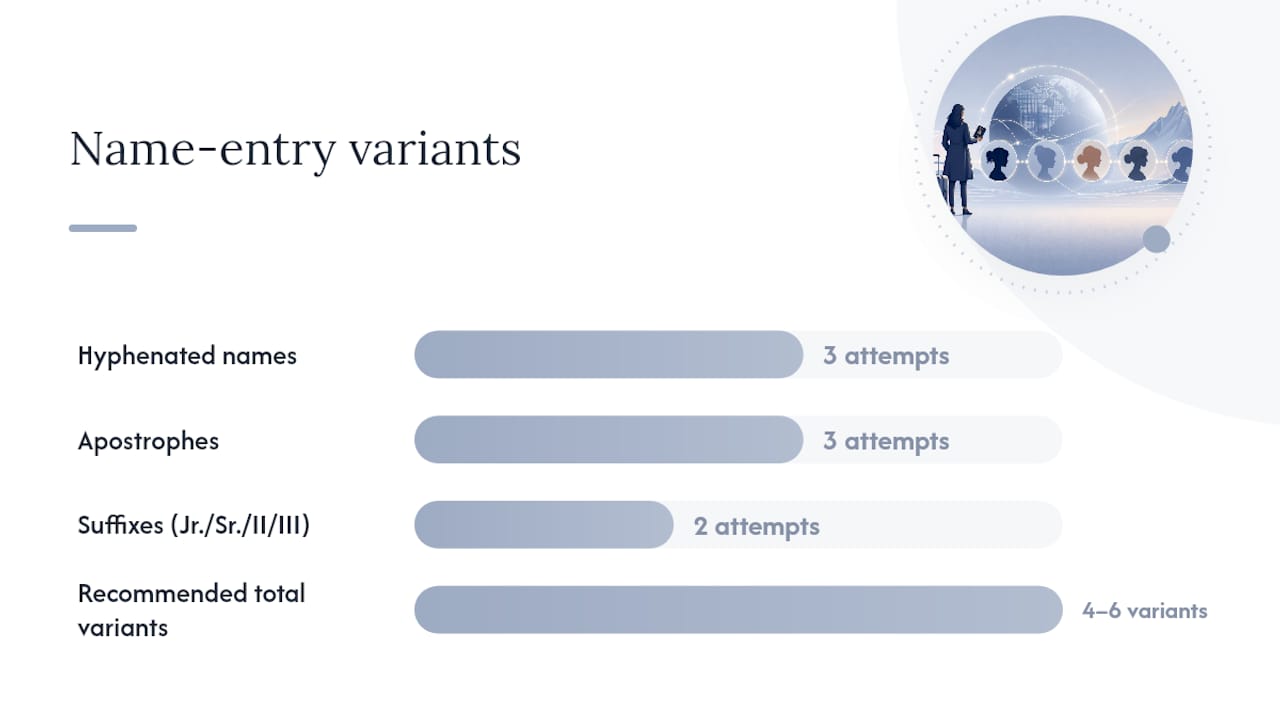
- Try name-entry variations. Enter your name with and without hyphens or apostrophes, and test it with and without suffixes like Jr. or III. A tiny formatting difference is enough to return no match.
- Double-check your date of birth and the last four digits of your Social Security number. These are the exact fields the Passportstatus portal requires. If you didn't provide an SSN on your application, use the nine-digit application locator number from your acceptance receipt instead.
- Confirm your payment was cashed. Check your bank statement or credit card activity. A processed payment is strong proof the government has your application, even if the online status hasn't updated yet.
- Check USPS tracking or call the acceptance facility. If your check hasn't cleared and two weeks have passed, trace the package through USPS tracking or contact the post office or library where you submitted it.
- Switch browsers, devices, or networks. If the site itself seems broken rather than simply reporting no match, try again from your phone on a different Wi-Fi network before assuming your data is the problem.
Pro Tip: Keep your acceptance receipt somewhere you can find it fast. That application locator number is the quickest way to verify your identity if you end up needing to call, and it saves you from digging through drawers while on hold.
If you've worked through this list and you're still stuck, it's time to escalate.
When Should You Call the National Passport Information Center?
Call the National Passport Information Center (NPIC) at 1-877-487-2778 if it's been more than 14 days and your status still shows "Not Found," or if your payment was cashed but no record has appeared online. A cashed check with no matching application is one of the clearest signs of a data-entry error on the government's side, and NPIC is equipped to fix that kind of mismatch directly.
Before you dial, gather the following:
- Your full legal name exactly as written on the application
- Date of birth
- Last four digits of your Social Security number, or your application locator number
- Proof of payment (a bank or credit card statement showing the charge)
- Mailing and USPS tracking numbers, if you have them
When you get someone on the line, walk through your timeline clearly: when you mailed the application, what the acceptance facility told you, and what the tracker currently shows. Having screenshots of the "Not Found" message ready helps the representative see exactly what you're seeing. NPIC also handles technical reports at PassportWeb@state.gov if the issue looks more like a site glitch than a records problem.
What If You Need Your Passport for Travel Soon?
If your trip is within 14 days, or you're dealing with a genuine life-or-death emergency, you can request an appointment at a passport agency instead of waiting on the standard timeline.
- Bring proof of imminent travel, like a flight itinerary or cruise confirmation, along with government-issued identification.
- Expect the agency to ask for documentation showing your travel dates fall inside that 14-day window.
- Expedited shipping (typically one to three business days once your passport is printed) can shave time off the return trip, but it won't help if your application hasn't been located yet.
- If you've exhausted every other option and travel is truly urgent, contacting your congressional office is a legitimate last resort. Congressional caseworkers can sometimes get a status update faster than the standard channels.
For a full breakdown of appointment eligibility and what to bring, Passportcenter's guide on getting an emergency passport fast covers the process step by step.
Could the Passport Tracker Itself Be Down?
Before you assume something is wrong with your application, rule out a site-wide problem. A personal data mismatch and a broader outage look identical from your screen, but they need different fixes.
- Try a different browser, device, or network first. If the tool loads fine but still says "Not Found," the problem is almost certainly your entry, not the site.
- Check if the entire site is unreachable, not just returning no match. A page that won't load at all, times out, or throws an error message points to a technical outage rather than a records issue.
- Report genuine technical problems to PassportWeb@state.gov. Include the exact error text, a screenshot, and the time you experienced it. That combination gives the technical team something concrete to investigate rather than a vague "it's not working."
Outages tend to resolve within hours, not days. If the site is back up and your status still says "Not Found," go back to the troubleshooting checklist above.
Name and Data Pitfalls: Concrete Examples to Try
Small formatting differences cause more "Not Found" results than actual lost applications. Before you call anyone, run your name through a few variations:
- Hyphenated names: try Jackson-Smith, Jackson Smith, and JacksonSmith as three separate attempts.
- Apostrophes: try O'Brien, OBrien, and O Brien.
- Suffixes: if your legal name includes Jr., Sr., II, or III, test the entry both with and without it.
Testing four to six variants like these resolves many "Not Found" cases before an applicant ever needs to contact NPIC. If you didn't list a Social Security number on your application, or you hold a special-issuance passport, use your nine-digit application locator number instead of the SSN field.
Pro Tip: Photograph or scan your acceptance receipt the moment you submit your application. It's the single document that ties your identity to your application locator number, your payment record, and your USPS tracking, all in one place. If you're worried about sharing sensitive identifiers like your SSN over the phone or online, it's worth reviewing how SSN-related scams typically operate so you know what a legitimate government request looks like versus a fraudulent one. Mistakes in these fields are exactly the kind of thing Passportcenter's rundown of common application errors walks through in more detail.
What Do the Other Passport Statuses Mean?
Once your application clears "Not Found," you'll likely see one of these labels next. Here's what each one actually means for you.
- In Process: Your application is logged and under review. No action is needed on your part.
- Approved: Your passport has been approved and is being prepared for mailing.
- Mailed/Shipped: Your passport is on its way. Track it using the USPS number provided.
- Additional information needed: The government needs more documents from you before it can proceed. Respond promptly with exactly what's requested. Passportcenter's guide on supporting documents mailed status breaks down common requests and how to respond.
- Not Found/Not Available: Your application hasn't hit the tracker yet, or there's a data mismatch. Work through the checklist above.
How Passportcenter Helps When Status Is Confusing
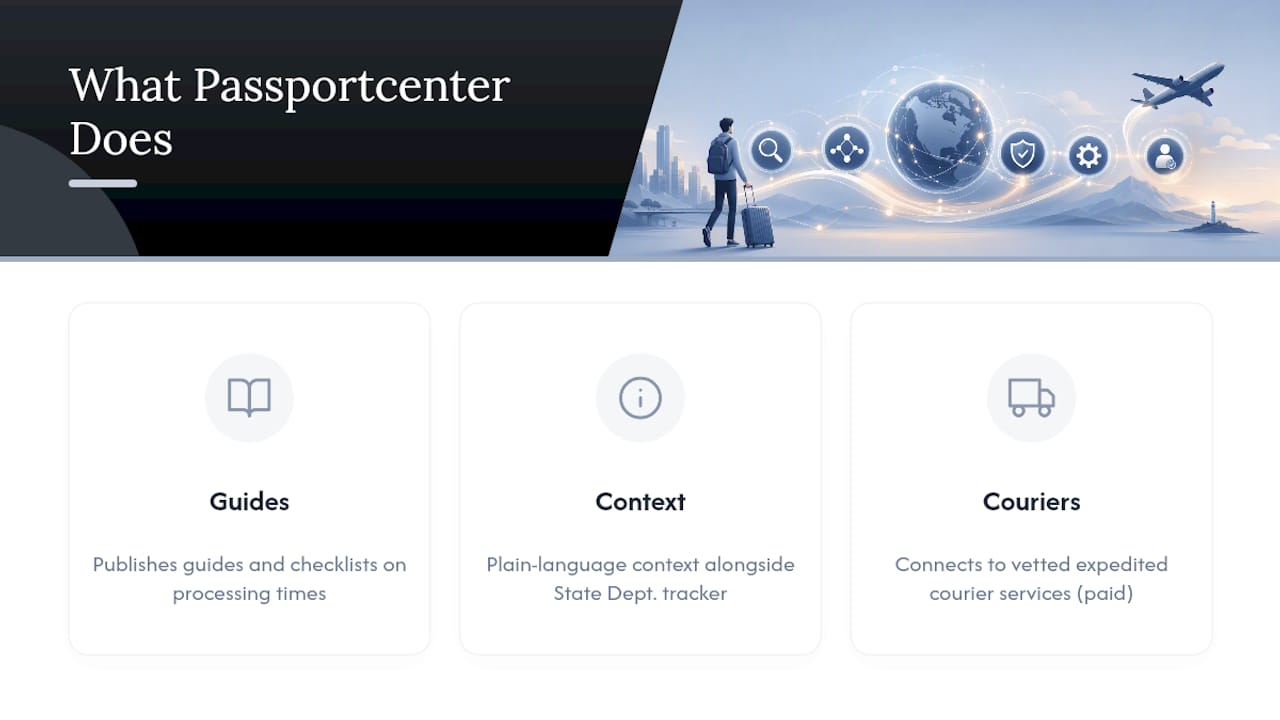
Passportcenter.ai exists for exactly this moment, when the official tracker gives you a vague answer and you need plain-language context fast. The site publishes guides and checklists covering processing times and the mistakes that most often cause delays, built to complement official State Department channels rather than replace them. For readers who decide they want paid, professional help moving things along, Passportcenter also connects visitors to vetted expedited courier services.
Get Help Beyond the Status Checker
Working the troubleshooting list yourself solves most "Not Found" cases within the standard 14-day window. But if your travel date is closing in, or you'd rather have someone else manage the follow-up calls and paperwork, that's a different problem than a name-entry typo.
Passportcenter.ai gives you a faster starting point than a search engine and a phone number scribbled on a sticky note. You can read targeted guides on processing estimates, work through checklists built around real State Department requirements, and request a referral to a vetted expedited-courier service if you decide paid help is worth it. Be aware that courier and expediting services charge additional fees on top of what the government itself charges for its own expedited options, so that route makes the most sense when time matters more than saving money. Start at the Passportcenter homepage to find the guide that matches your exact situation, whether that's a first application, a renewal, or a status check that's stuck.
Sources
FAQ
Why Is My Passport Status Showing Not Available?
It usually means your application hasn't been logged into the system yet, which is normal for up to 14 days after mailing. If it persists beyond that, a name-entry mismatch is the next most likely cause.
Is the US Passport Status Site Down?
Not usually. If the site loads normally but your specific application won't return a result, that's a records issue, not an outage. A true outage looks like the entire site failing to load or throwing errors, in which case you can report it to PassportWeb@state.gov.
Why Isn't My Passport Status Updating?
Status pages update in batches as applications move through processing stages, so gaps between updates are expected. If your status hasn't changed at all after two weeks and payment has been cashed, that combination is worth a call to NPIC at 1-877-487-2778.
How Do I Know if My Passport Application Was Not Approved?
The tracker will show a status like "Additional information needed" rather than an outright rejection if something is missing from your application. A true denial is rare and would come with a direct written notice from the State Department explaining the reason.
What Should I Do if I Applied Through a Third-Party Expediting Service?
Contact that service directly first, since they typically submit and track applications on your behalf and may have status details you can't see yourself. If they can't resolve it, you can still call NPIC using your own application locator number and personal details.