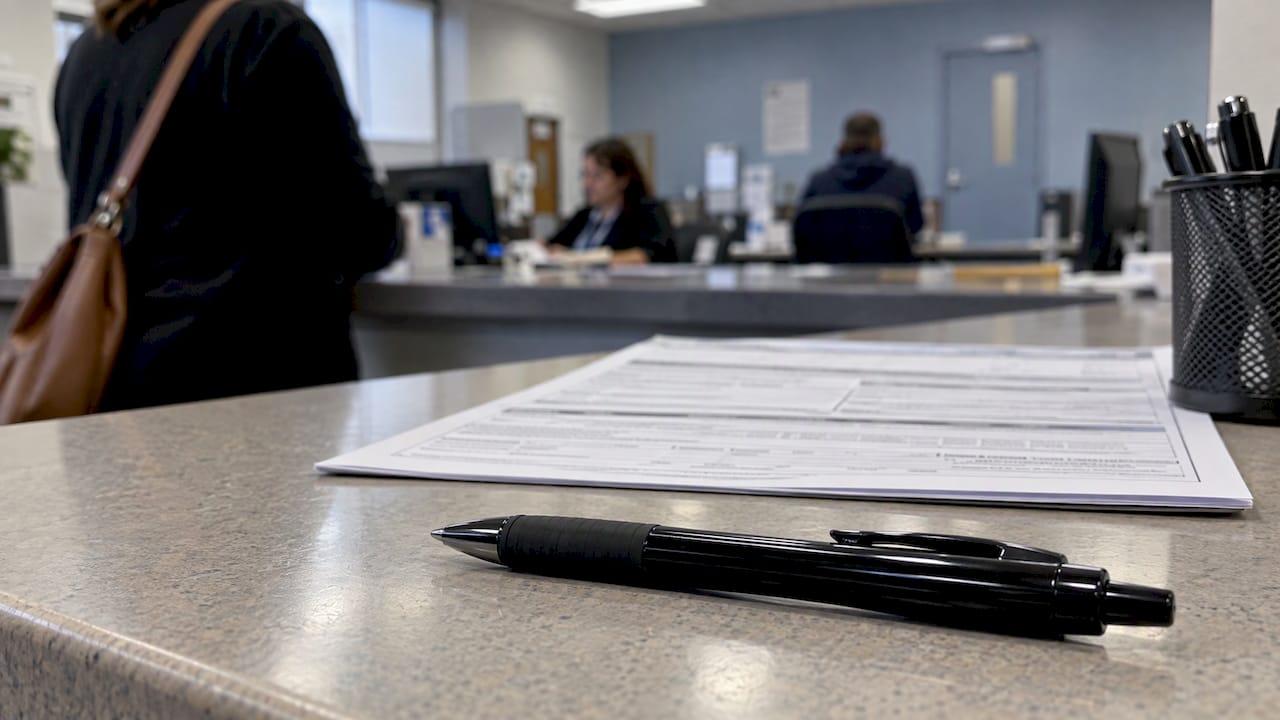
There are two answers, and mixing them up is a common reason for a redo. Fill out your U.S. passport application in black ink only. Once your passport arrives, sign inside it in blue or black ink. Everything below explains where each rule comes from, which form it applies to, and what to do if the pen slips.
If you are applying under time pressure, a rejected or delayed form costs you days you may not have. Getting the ink right takes a minute and removes one avoidable problem from the process.
TL;DR
- Passport application forms (DS-11, DS-82, DS-5504): print legibly in black ink only. A new form is required after a mistake, with no white-out or correction.
- Signing your new passport book: blue or black ink, full name, inside the passport.
- DS-11 applicants do not sign the form until the acceptance agent tells them to.
- Print forms single-sided on letter-size paper. Only your signature and date may be handwritten on a form made with the online Form Filler.
- If you mark or damage the passport itself, do not try to fix it. A damaged passport is replaced with a new DS-11 application.
Table of Contents
- Quick reference: which ink goes where
- Ink color for the application form
- Do you print the application in color or in black and white?
- When to sign each form
- What to do when you make a mistake on the form
- Signing your new passport: blue or black
- What if ink gets on the passport itself?
- A short routine before you submit
- When time is the real problem
- Our perspective
- FAQ
- Sources
Quick reference: which ink goes where
| What you are doing | Ink color | Key detail |
|---|---|---|
| Handwriting a DS-11 (first passport, child, replacement in person) | Black only | Do not sign until the acceptance agent asks |
| Handwriting a DS-82 (renewal by mail) | Black only | Sign and date on Application Page 1 |
| Handwriting a DS-5504 (correction, name change, limited replacement) | Black only | Sign and date after printing |
| Signing the passport book you receive | Blue or black | Full name, inside the passport |
| Signing for a child under 16 | Blue or black | Parent prints the child's name and signs their own |
The sections below explain each row.
Ink color for the application form
The State Department's forms say the same thing in the same words. The DS-11 first-time application tells you to print legibly using black ink only, and that if you make an error you complete a new form, without correcting or whiting out. The DS-82 renewal form and the DS-5504 form carry the same instruction.

Local acceptance facilities repeat it because they are the ones who reject sloppy forms at the counter. The City of San Diego's passport page says to print in black ink only and not to use correction liquid or tape. Fulton County, Indiana says all applications must be completed in black ink. A 2026 checklist from the Parsippany, New Jersey library says DS-11 forms must be black ink only and must not be printed double-sided or signed in advance.
Which pen to buy
Use a standard black ballpoint or gel pen. You want ink that dries fast and does not smear, because the form is handled by an agent, photocopied or scanned, and mailed or carried in a folder. A pen that bleeds through letter-size paper makes the back of a single-sided form messy, so test it on scrap paper first.
Avoid pencil, colored ink, and highlighters on the form. The instruction is black ink, so anything else leaves you with a form that has to be redone.
Do you print the application in color or in black and white?
This is a common question, and the State Department's instructions answer it by focusing on other things. On its Passport Forms page, the State Department says to:
- Print the form single-sided on 8.5 by 11 inch letter-size paper. Double-sided forms are not accepted.
- Print in vertical portrait format, with the application image covering the entire page.
- Add no handwriting other than your original signature and date if you used the Form Filler tool.
So the ink-color rule applies to what you write by hand, and the paper rules apply to the printout. The page does not set a color requirement for the printed form. Make sure the printer does not shrink the page, cut off the edges, or split the form across two sheets.
The most efficient path is the one the State Department's adult passport page describes: complete the form on a computer with the Form Filler, print it single-sided, and leave the DS-11 unsigned until the passport acceptance agent asks you to sign. Typing means fewer handwriting errors and fewer ruined forms. For a walkthrough of each line, see our DS-11 instructions.
When to sign each form
Ink color is only half of it. Signing at the wrong time can also get a form sent back.
- DS-11: Print the form, but do not sign it. The acceptance agent watches you sign at your appointment. The State Department's forms page says DS-11 applicants should print but not sign until asked.
- DS-82: Sign and date on Application Page 1 after printing. The DS-82 instructions say to print page one and page two on separate sheets and submit both. The instruction pages do not need to be submitted.
- DS-5504: Sign and date after printing, per the same forms page. Our DS-5504 guide covers filling it out and mailing it.
If you are mailing a package, our guide on mailing a passport application explains what to include and what to leave out.
What to do when you make a mistake on the form
The rule is blunt: start a new form. The forms say not to correct or white out, and local offices say not to use correction tape. A crossed-out line or a layer of correction fluid looks like an alteration, and a clean new sheet does not.
A practical routine saves reprints:
- Fill the form out on screen first and read every line before printing.
- Print one copy. Check that nothing is cut off at the margins.
- If you must handwrite, write slowly in capital block letters inside the boxes.
- If you slip, stop. Print a fresh form and start over.
For a first-time applicant or a parent, the best way to keep this simple is to keep a spare printed copy in the folder in case you need it at the counter. A few extra sheets of paper cost far less than a missed appointment.
Signing your new passport: blue or black
When your passport arrives, you sign it. The State Department's After You Get Your New Passport page, updated May 11, 2026, says to sign your full name in blue or black ink inside the passport. This is the one place where blue is allowed, and it is the reason people get confused about ink color.
Some practical points:
- Use a pen that will not smudge or fade. The signature has to remain readable for years.
- Sign once, deliberately. Do not practice on the signature page.
- Match the signature you normally use, so it looks like what you write on a boarding pass or a hotel form.
Our passport signature rules guide goes through more of the situations, including what to do when you are unsure how to sign.
Children under 16
A child under 16 does not sign. According to the same State Department page, a parent prints the child's full name, signs their own name next to it, and notes their relationship to the child. If you are applying for a child, the consent paperwork matters as much as the ink, and our child passport consent guide explains how parents avoid rejection. Parents of children born abroad should look at our guide on using a CRBA to complete a child's passport application.
What if ink gets on the passport itself?
The application ink rules are about paper forms. A passport book is a different matter, because marks on it can raise questions at a border or when you renew.
The AFAR travel magazine reports that the State Department treats unofficial markings or stickers, water damage, significant tears, loose or missing covers, and chip damage as unacceptable. It also reports that a physically altered passport is considered invalid under federal law, and advises against repairing a passport yourself.
The form you use depends on the condition of the book. The DS-5504 form states that if a passport book or card has been mutilated or damaged, or reported lost or stolen, you apply on a DS-11 instead. AFAR cites replacement costs of $130 for an adult plus a $35 processing fee, so check the State Department's current fee page before you apply.
To stay on the safe side:
- Keep pens, markers, and liquids away from the data page and visa pages.
- Do not add notes, phone numbers, or doodles to blank pages.
- If your passport is stained or marked, treat it as damaged and plan for a DS-11 replacement well ahead of travel.
If the passport is missing rather than marked, start with our guide to lost passport replacement and the steps to report a lost or stolen passport on the DS-64.
A short routine before you submit
- Check the form number. DS-11 for first-timers and in-person replacements, DS-82 for eligible renewals, DS-5504 for corrections and certain replacements. Our renewal checklist helps you work out which one fits.
- Use black ink for anything handwritten. No exceptions on the application.
- Print single-sided on letter-size paper, in portrait, with the full page showing.
- Hold the signature on a DS-11 until the agent asks.
- Sign the new passport in blue or black as soon as it arrives.
That is the whole ink question. It is small, but applicants who get it wrong tend to find out at the counter, when fixing it means a new printout and possibly a new appointment.
When time is the real problem
Ink color rarely decides whether you travel on time. Processing speed does. If your trip is close and a standard submission will not get you there, you can look at expedited options. Our site at PassportCenter.ai is a free informational resource covering passport requirements, renewal timelines, application steps, and entry rules, and it connects travelers who need expedited or professional help to registered passport courier services. Our AI-powered recommendations help you see which processing speed fits your travel date.
If you live far from a Regional Passport Agency, or you are a new citizen who needs a first passport quickly, start there. You do not have to buy anything to use the guides.
Our perspective
Most of the mistakes we hear about are small ones. A signed DS-11, a form printed on both sides, a line fixed with correction tape. Each one looks harmless and each one can cost you a trip's worth of time.
That is why we write plain checklists. The ink rule is the clearest example: black on the application, blue or black in the passport itself. Once you know it, it takes seconds to follow.
We built PassportCenter.ai to give U.S. travelers one place for the steps, the forms, and the entry rules, in plain language. When a deadline is tight, we connect you with registered passport courier services for expedited help, so that you can concentrate on the trip rather than the paperwork.
David
FAQ
Can I use blue ink on my passport application?
No. The DS-11, DS-82, and DS-5504 all say to print legibly using black ink only. If you make an error, complete a new form and do not use white-out. Blue is only an option when you sign inside your finished passport.
Can I sign my passport in black ink?
Yes. The State Department says to sign your full name in blue or black ink inside the passport. Pick a pen that dries quickly and does not smudge, and sign once.
Do I print my passport application in color or black and white?
The State Department's instructions focus on paper and layout: single-sided, 8.5 by 11 inch letter-size paper, portrait, with the whole page showing. The black ink rule applies to anything you write by hand. If you use the Form Filler, the only handwritten items are your signature and date, and a DS-11 is not signed until the acceptance agent asks.
What if I made a mistake on my form?
Print a new form and start again. The forms say not to correct or white out, and local passport offices say not to use correction liquid or tape. Filling the form out on screen before printing greatly reduces the risk.
What happens if my passport has an ink mark or stain?
Treat it as possible damage. Do not try to clean or repair it yourself. A damaged passport is replaced in person with a DS-11, so plan extra time before any trip.
Sources
- After You Get Your New Passport, U.S. Department of State
- Application for a U.S. Passport (DS-11)
- U.S. Passport Renewal Application (DS-82)
- Application for a U.S. Passport for Eligible Individuals (DS-5504)
- Passport Forms, U.S. Department of State
- U.S. Passports forms page, U.S. Department of State
- Apply for Your Adult Passport, U.S. Department of State
- Passport Services, City of San Diego
- Passport Application Instructions, Fulton County, IN
- Passport services 2026 checklist, Parsippany Library
- Here's What to Do if You Damage Your U.S. Passport, AFAR